


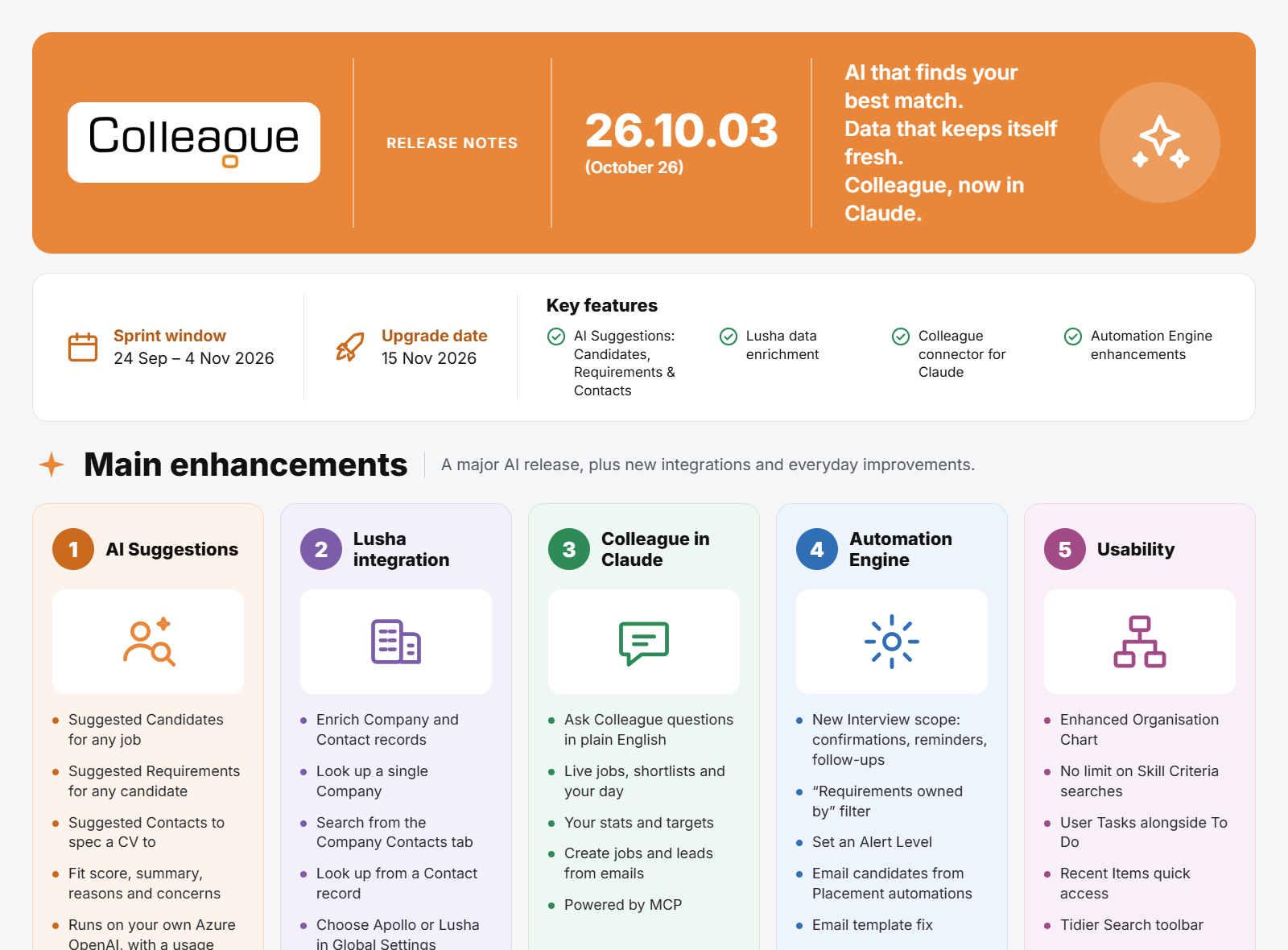
Colleague – Sprint Review – 26.10.03
Hi All,
📅 On Sunday 15th November every Colleague user moves to 26.10.03.
Here’s what’s new:
🔍 AI Suggestions: Candidates, Requirements & Contacts
Open any Requirement, click ‘Suggested Candidates’ and Colleague will use AI to contextual examine the Requirement and then rank your Candidates to find who is the best fit.
Each Candidate will get a score, a summary, the reasons they fit and any concerns to be aware of.
It works the other way round too. From a Candidate record, via the ‘Submit’ menu, Users will be able to select ‘AI Suggested Requirements’.
This process will use AI to look at your Candidate and list Requirements that suit them, likewise ‘AI Suggested Contacts’ will look at and list the Contacts that may be interested in that Candidate (based on historical Requirements).
Note: AI solutions run through your own Azure OpenAI deployment. AI usage will incur additional costs based on the tokens that are used. Admins will have access to a usage report, as well permission settings to disable unwanted features.
📇 Lusha integration
Enrich Company and Contact records with Lusha’s data. Look up a single company, pick contacts from the Company Contacts tab, or run a lookup from a contact record.
💬 Colleague in Claude
Our new Claude connector, built on MCP, lets you work with Colleague in plain English. Ask Claude questions such as “What do I have on today?”, “Who’s on the shortlist for the BP role?” or “Am I on target this quarter?”.
Answer will be returned in plain English with links into the Colleague database.
You can also turn a client email into a new requirement in seconds.
⚙️ Automation Engine
- New Interview automations for confirmations, reminders and follow-ups
- Set Alert levels
- Set “Requirements owned by” filter when creating Requirement automations
- Send Candidate emails from Placement automations
Thank you to everyone who sent feedback after 26.09.02. Please keep it coming!
✨ Plus everyday improvements
- An enhanced Organisation Chart
- Unlimited Skill Criteria searches
- User Tasks shown alongside ‘To Do’ Tasks
- Quick menu access to Recent Items
- Emoji support in emails
- Enhanced Notes saving
📖 Full release notes: https://services.colleaguesoftware.com/online-help/colleaguev7/page/261003
As always, any and all feedback is welcome.
#RecruitmentSoftware #RecruitmentTechnology #RecruitmentCRM #Automation #TalentAcquisition #RecruitmentAgency #DigitalTransformation #ColleagueSoftware #RecruitmentInnovation #CRM


